Excel template format
The excel template contains softType data sheets. It may also contain a control sheet, reference data sheets and validation sheets.
In addition, information sheets and user input sheets can also be added.
Control sheet
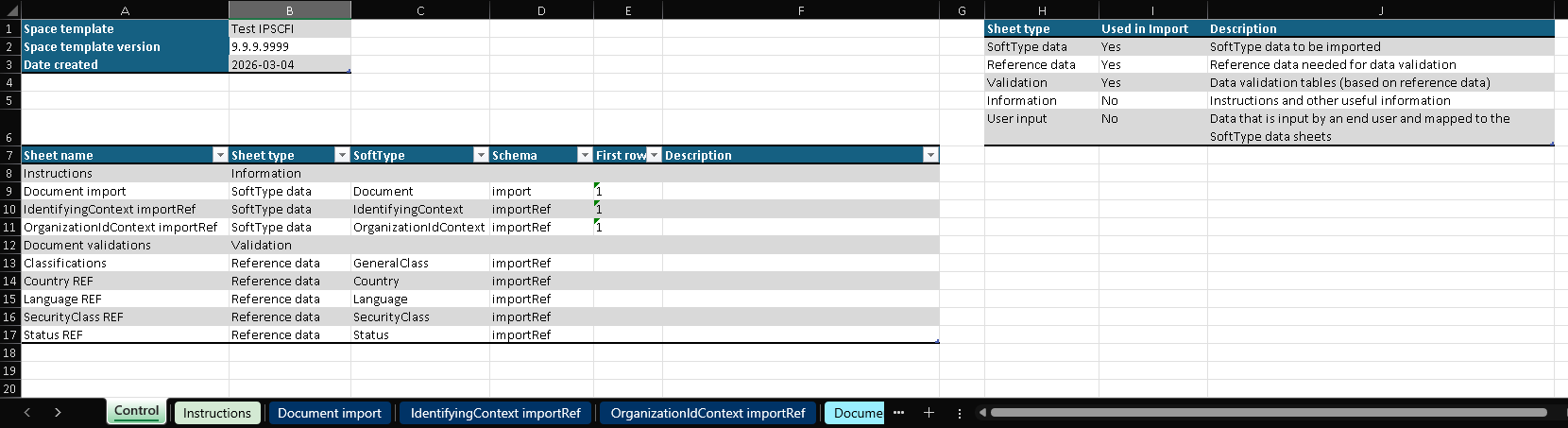
The control sheet contains a metadata table with some data about this excel template,
a control table with details of all the other sheets in the excel template and a lookup table for sheet type.
Metadata table
This table is generated by the by the excel template generator and it is for information only (not needed by the mapper).
The content is specified in the json specification file.
Control table
This table is generated by the by the excel template generator, new rows can be added manually.
It is used by the mapper to determine how to handle the various sheets.
Columns:
- "Sheet name" - the exact name of the sheet in the workbook
- "Sheet type" - type of sheet, can be one of the following:
- SoftType data
- Reference data
- Validation
- Info
- User input
- "SoftType" - the name of the softtype that the sheet maps to
- mandatory for
SoftType dataandReference datasheets
- mandatory for
- "Schema" - the name of the imputSchema used for mapping the softtype ports
- mandatory for
SoftType dataandReference datasheets
- mandatory for
- "First row" - the first row is the row with the port names, it is 1 by default, but can be changed if friendly header rows are inserted above
- "Description" - optional description of the sheet’s purpose
Sheet type table
This is a lookup table used for validation and for displaying some explanations about the sheet types.
SoftType data sheet
The SoftType data sheet holds the data that will be imported.
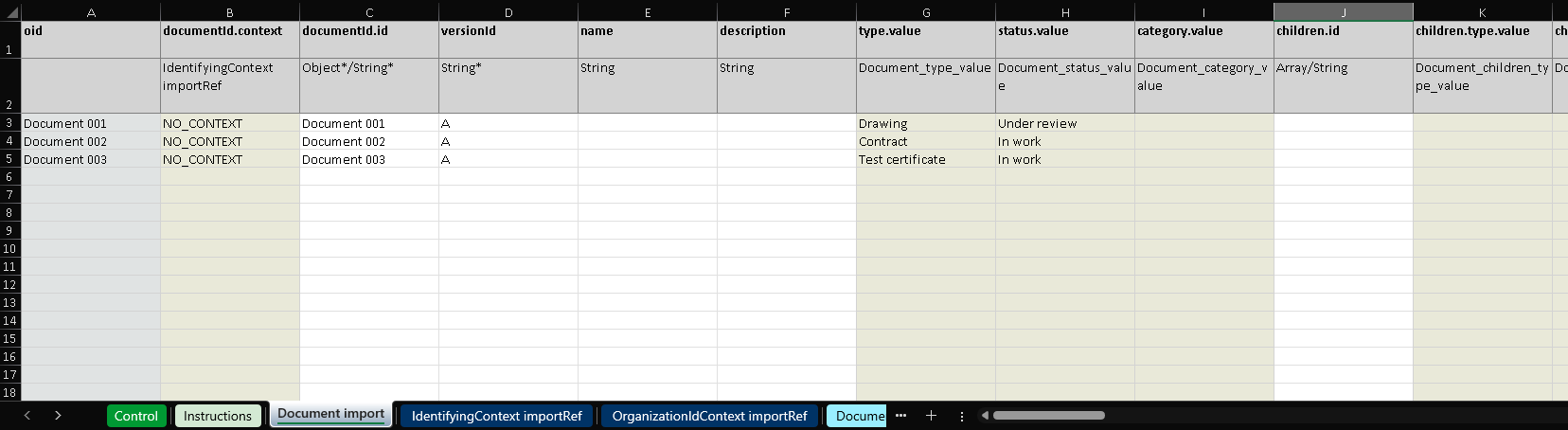
The first row contains the name of the attribute that should be imported.
The second row contains one of the following:
- name of another softType data sheet (used for references to other softTypes)
- name of a validation table (used for references to reference data)
- type of the data to be filled (an asterisk is used to indicate mandatory data)
Note
It is possible to manually insert a friendly header row(s) above the first row. If that is done the "First row" in the control table has to be updated.
Reference data sheet
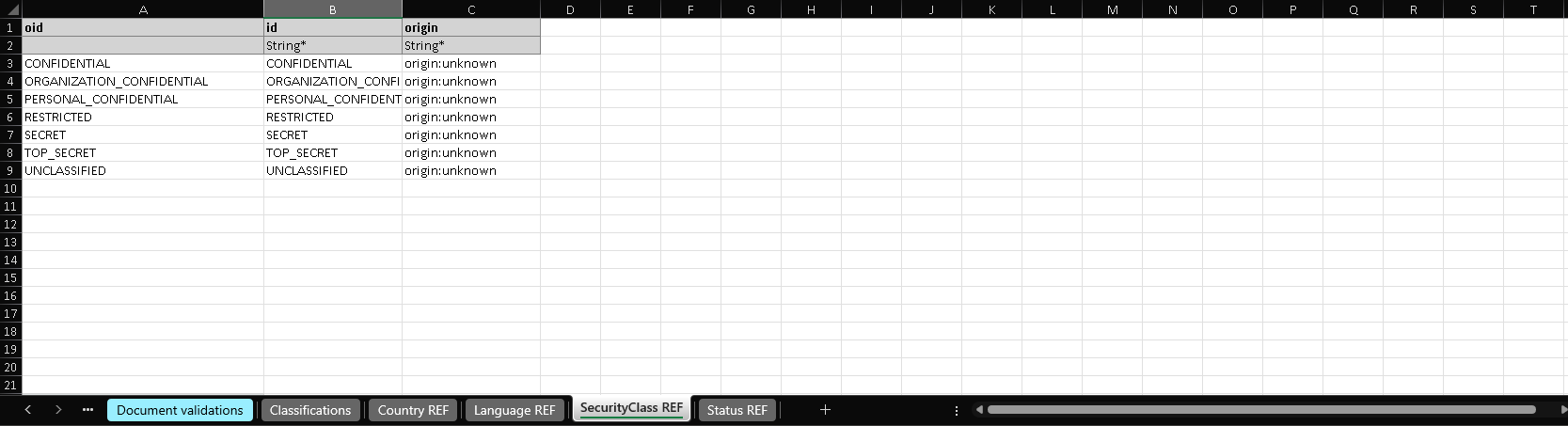
Reference data sheets hold reference data instances.
Validation sheet
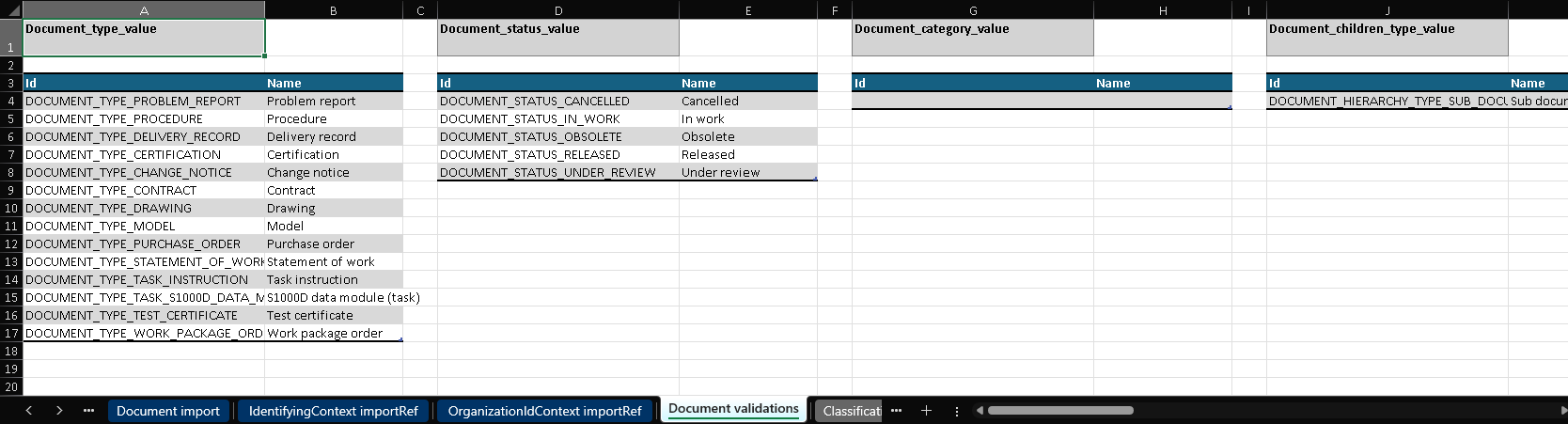
Validation sheets hold validation tables with allowed values for various ports.
Each validation table has the following columns:
Id- this must be a reference to an oid cell in a reference data sheetName- this is a friendly name that the user sees in the data validation lists
Information sheet
Information sheets with instructions or other information can be added. These sheets are ignored by the mapper.
User input sheet
User input sheets can be manually added to the generated excel template file.
See excel-import-example-with-user-input-sheet.xlsx for an example.
The data from the user input sheets can mapped to the softType data sheets.

The data from the validation tables can be used in the data validation rules on the user input sheet.

Excel template generation
For instructions how to generate excel templates, refer to Excel template generation.