ShareAspace Web (classic) installation
Prerequisites
The ShareAspace Web (classic) component (Web user interface) has the following prerequisites:
- Hardware prerequisites for a Web Server (IIS)
- Software prerequisites for a Web Server (IIS)
- TLS Certificates
- HTTPS in IIS
Note
The ShareAspace Web Client can be installed on the same server as the Reverse Proxy (Gateway).
ShareAspace Web client setup
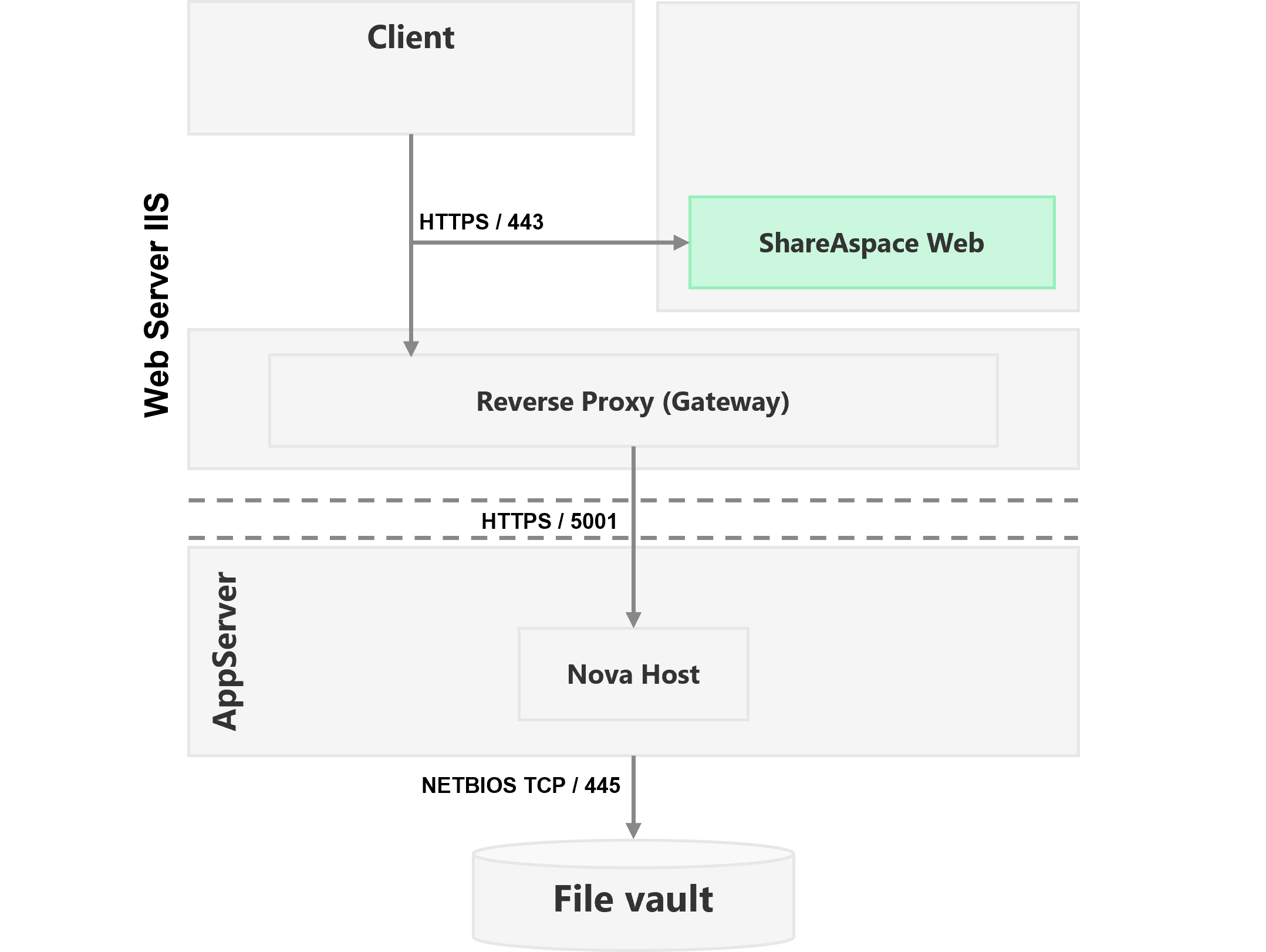
Installation steps
Step 1: Run the installer
Run the NovaWeb.msi installer to install the ShareAspace Web Client on the IIS server.
Note
During installation, an IIS Application Pool named "NovaWeb" is created.
By default, the Application Pool runs under the built-in ApplicationPoolIdentity account.
If a different account is used, it must have read access to the ShareAspace Web installation folder.
Step 2: Verify installation
Verify that the ShareAspace Web application is accessible via a browser and correctly connects to the configured backend services.
Configuration
Configure the ShareAspace Web OAuth 2.0 settings by editing the config.json file.
Open the config.json file located in the ShareAspace Web installation folder.
By default:
C:\Program Files\Eurostep\ShareAspace\Web\config.json
If the identity provider is hosted on a different domain, also update the web.config file:
By default:
C:\Program Files\Eurostep\ShareAspace\Web\web.config
Add the identity provider domain to the Content-Security-Policy header:
<?xml version="1.0" encoding="UTF-8"?>
<configuration>
    <system.webServer>
        <httpProtocol>
            <customHeaders>
                <add name="Content-Security-Policy" value="default-src 'self' <identity-provider-fqdn>; frame-src https:; style-src 'self' 'unsafe-inline'; img-src 'self' data:; script-src 'self' 'unsafe-eval'" />
            </customHeaders>
        </httpProtocol>
    </system.webServer>
</configuration>
Authentication configuration
Using developer login
{
    "apiPath": "/api",
    "client_id": "NovaWeb",
    "scope": "All",
    "response_type": "code",
    "authorizationUrl": "https://<developer-login-fqdn>/DeveloperLogin/oauth/authorize",
    "tokenUrl": "https://<developer-login-fqdn>/DeveloperLogin/oauth/token",
    "redirect_uri": "https://<sas-web-fqdn>/sasweb/Callback.html",
    "signOut_uri": "https://<developer-login-fqdn>/DeveloperLogin/SignOut",
    "application_id": "sasweb",
    "accessTokenExpireWarningTimeMinutes": 10
}
Using email authentication
{
    "apiPath": "/api",
    "client_id": "NovaWeb",
    "scope": "All",
    "response_type": "code",
    "authorizationUrl": "https://<developer-login-fqdn>/EmailAuthentication/oauth/authorize",
    "tokenUrl": "https://<developer-login-fqdn>/EmailAuthentication/oauth/token",
    "redirect_uri": "https://<sas-web-fqdn>/sasweb/Callback.html",
    "signOut_uri": "https://<developer-login-fqdn>/EmailAuthentication/SignOut",
    "application_id": "sasweb",
    "accessTokenExpireWarningTimeMinutes": 10
}
Using OpenID Connect
See OpenID Connect.
Documentation configuration
The documentation links in ShareAspace Web can be configured to point to a custom or on-premises documentation source.
{
  "documentationLinks": {
    "about": "https://docs.shareaspace.com/v1-9/sas/administration.html#about",
    "alert": "https://docs.shareaspace.com/v1-9/sas/administration.html#alerts",
    "application": "https://docs.shareaspace.com/v1-9/sas/administration.html#applications",
    "extensions": "https://docs.shareaspace.com/v1-9/features/external-extensions/user-interface.html",
    "languages": "https://docs.shareaspace.com/v1-9/sas/administration.html#languages",
    "license": "https://docs.shareaspace.com/v1-9/sas/administration.html#licence",
    "monitoring": "https://docs.shareaspace.com/v1-9/sas/administration.html#monitoring",
    "news": "https://docs.shareaspace.com/v1-9/sas/administration.html#news",
    "spaces": "https://docs.shareaspace.com/v1-9/sas/administration.html#spaces",
    "templates": "https://docs.shareaspace.com/v1-9/sas/administration.html#templates",
    "files": "https://docs.shareaspace.com/v1-9/features/file-management/user-interface.html"
  }
}