User interface
Quick search
When the quick search box is configured for full text search the phrase Full text search
will be shown in the box.
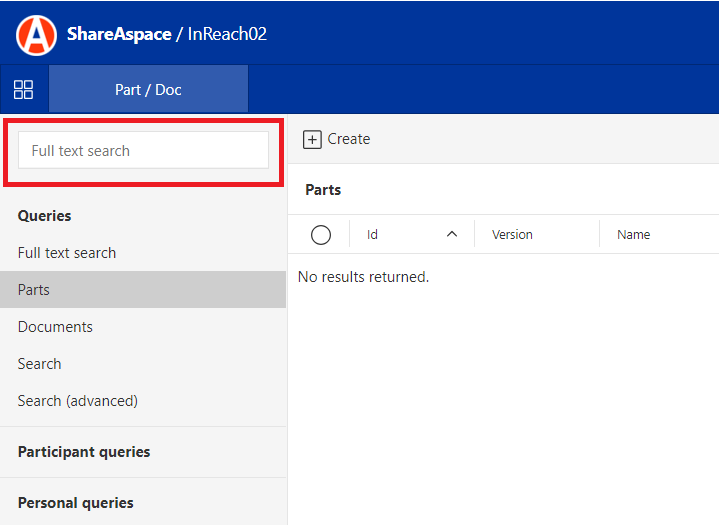
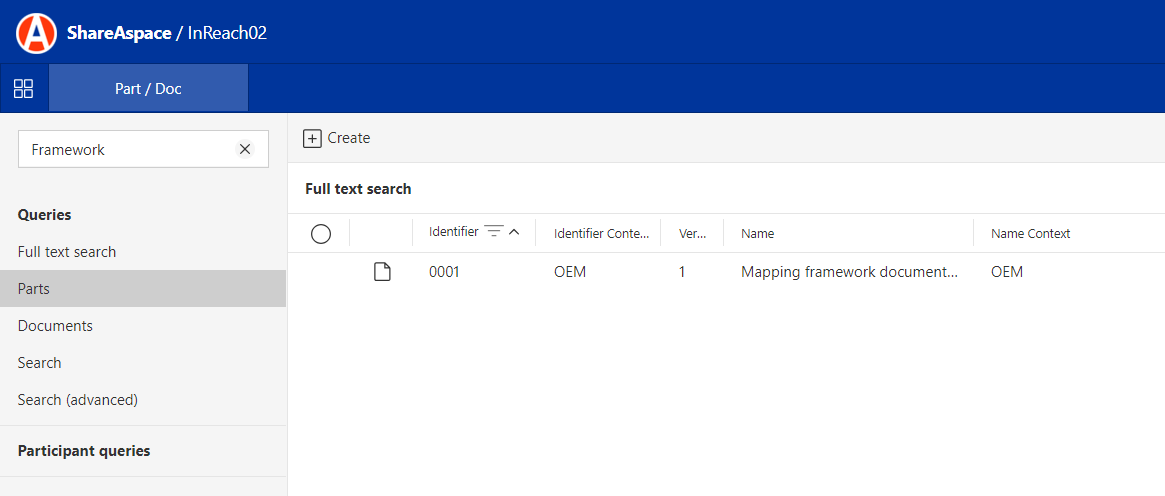
The full text search is performed by typing phrases from files and then Enter is pressed. The list of objects that has a reference to a file that contain the phrase will appear to the right.
Query search
During bootstrap a full text query with the name Full text search is always added to the
query module in the COMMON.Hidden category. The query will have only one text-box where the
full text value should be entered and then the search button or Enter needs to be pressed.
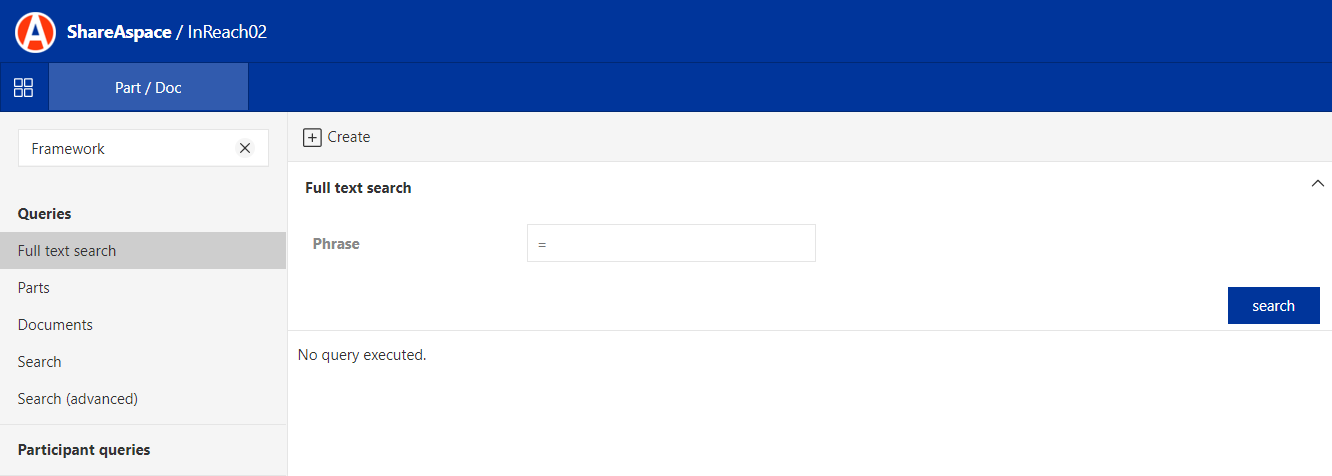
The full text query works exactly as the full text quick search and the result of the query will be displayed as any other query in the grid.
Rebuild index
Upon data creation (and depending on index definitions for a space), indexes are being populated at runtime. In some situations, there might be a need to rebuild the data indexes in a space.
To rebuild indexes:
- Select the Space for which the indexes are to be rebuilt from the list under
Spaces - Click the "Rebuild index" button
- Depending on the size of the indexes the time taken can vary. Extensive indexes can take hours to update.
- Refresh the
Spaceslist to see the rebuild progress.